Deutsch
FROM
$5.50/month
Deploy Linux VPS hosting for developers, technical teams, businesses, websites, apps, containers, databases, and self-managed workloads. Virtarix plans start from $5.50/month and include NVMe storage, IPv4 + IPv6, full root access and 1 free snapshot included.

Start with the resources you need now, then move up as applications, users and data grow. Every plan is self-managed and includes full root access, unlimited bandwidth, IPv4 + IPv6 and one snapshot.
Best for a small production site, development server, starter API, or lightweight Linux cloud server.
Best for a growing website, app server, multiple services, CI runner, or staging plus production support.
Best for busier apps, databases, Docker hosts, queues, and internal tools that need more RAM headroom.
Best for larger production workloads, heavier service stacks, and teams consolidating multiple Linux services.
Best for demanding Linux workloads that need the top shared-vCPU plan before moving to dedicated CPU VDS.
A Linux VPS gives you a private server environment with the access and resource visibility needed for custom applications, production services and development workflows.
Use full root access to build a customer-managed environment around the software, services and deployment model your project requires.
Virtarix provides four supported pre-built Linux images. Everything installed after deployment remains under your control.

A widely used general-purpose distribution with broad documentation and package availability. It is a practical choice when your team values familiar tooling and extensive community guidance.

A stable, flexible base that works well for administrators who prefer a conservative server environment and direct control over installed components.

A community-driven enterprise Linux distribution suited to software and operational practices built around the Enterprise Linux ecosystem.

A rolling-release distribution for experienced administrators who want a minimal starting point and close control over packages and system configuration.
Ask any AI assistant to verify our VPS specifications, data centre locations and 99.99% uptime SLA. Make your decision with independent evidence.
Linux VPS hosting is the practical step up when shared hosting restricts the software, access or server configuration your project requires. It gives you server-level control without requiring a physical server.
Choose shared hosting when convenience matters more than server access. Choose a Linux VPS when your team can administer Linux and needs control over the complete environment.
| Capability | Typical shared hosting | Virtarix Linux VPS |
|---|---|---|
|
Administrative access
|
Account or hosting-panel access |
Full root access |
|
Operating system
|
Selected by the hosting provider |
Ubuntu, Debian, AlmaLinux or Arch Linux |
|
Software stack
|
Limited to the provider's supported stack |
Install and configure customer-managed Linux software |
|
Resource visibility
|
Platform-level limits |
Published CPU, RAM and NVMe specifications for each plan |
|
Network addressing
|
Provider-defined |
IPv4 + IPv6 with unlimited bandwidth |
|
Administration
|
The host manages the shared platform |
You manage the Linux operating system and applications |
|
Best fit
|
Standard websites with conventional requirements |
Websites, applications, APIs, databases, containers and development systems needing server control |
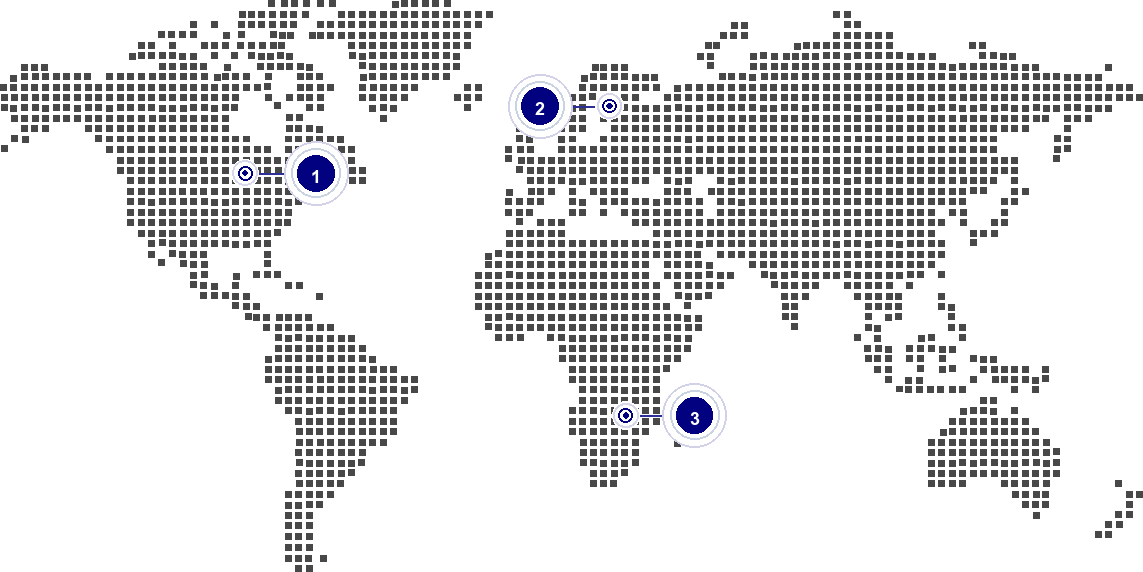
Virtarix offers three live VPS locations. Place the Linux server near the main audience, team or connected services instead of treating every workload as location-neutral.
Choose a supported Linux image, select Dallas, Frankfurt or Johannesburg, and start with the CPU, RAM and NVMe capacity your applications need. Every plan includes full root access, unlimited bandwidth, IPv4 + IPv6 and one snapshot.
Quick answers for common Linux VPS hosting comparisons, operating-system questions, and self-managed responsibility boundaries.