WordPress VPS Hosting - Unlimited Sites, NVMe, From $5.50/mo
WordPress VPS hosting with NVMe SSD, full root access, free SSL, and pre-installed cPanel option. Run unlimited WordPress sites. 99.99% uptime. From $5.50/mo.
Discover the possibilities of running WordPress on a VPS - faster, safer, and fully under your control.
Business Websites
Host a professional business site with dedicated CPU and RAM - no slowdowns when traffic spikes, no limits on plugins or themes. A WordPress VPS gives you the flexibility to run enterprise themes, custom configurations, and multiple domains from a single server.
Blogs & Personal Websites
Traffic spikes from viral posts can crash a shared host in seconds. A VPS for WordPress gives your blog dedicated resources so it stays online and loads fast even when a post goes viral - with no throttling, no overselling.
eCommerce Stores
Run WooCommerce on infrastructure that doesn't flinch at checkouts. Dedicated NVMe storage and a stable PHP 8.x environment ensure cart pages load in under 2 seconds and transactions complete without error, even during peak sales periods.
Portfolios & Creative Showcases
Serve high-resolution images, video reels, and media-rich galleries without hitting storage caps. A WordPress VPS with 50-600 GB NVMe storage ensures your creative work loads fast for every visitor, everywhere.
Online Learning Platforms
Deliver video lessons, quizzes, and downloadable content at scale. WordPress VPS hosting supports LMS plugins like LearnDash and LifterLMS with the CPU and RAM needed for concurrent student sessions without lag.
Community & Membership Sites
Run BuddyPress, bbPress, or membership plugins on a server you control. DDoS protection keeps your community always-on, while root access lets you fine-tune database performance as your member base grows.
What You Can Build on a Virtarix WordPress VPS
What You Can Build on a Virtarix WordPress VPS. List of what you can build: blogs, WooCommerce stores, agency client sites, WordPress Multisite networks, membership sites, learning platforms, private staging sites, and high-traffic content websites.
CPU
Minimum 2 vCPU cores. 4+ recommended for high-traffic sites.
RAM
Minimum 2 GB. 4-8 GB suggested for smooth performance under load.
Storage
Minimum 20 GB SSD/NVMe. 50-100 GB recommended for media-heavy sites.
Security
DDoS protection, SSL, and daily backups for worry-free uptime.
PHP
Version 7.4+; 8+ recommended for modern themes and plugins.
Database
MySQL 5.6+ or MariaDB 10.0+; latest stable versions suggested for reliability.
WordPress VPS vs Managed WordPress Hosting
Wondering if you should go with managed hosting or a WordPress VPS? Let's compare your options:
Feature
Managed WordPress Hosting
WordPress VPS (Virtarix)
Performance
Shared or capped resources; may slow under high traffic
Dedicated CPU, RAM, and NVMe storage for fast, reliable WordPress performance
Control and Flexibility
Limited plugin/theme support; server configuration mostly fixed
Full root/SSH access; install any plugin or theme
Security
Provider handles security and backups automatically
You control backups, firewall, and DDoS protection
Scalability
Scaling is limited or controlled by provider
Scale CPU, RAM, storage, and bandwidth on demand
Cost
Higher cost for convenience; less control over performance
Pay only for the resources you need; cost-effective for growing sites
Ideal For
Beginners, small blogs, hands-off users
Agencies, developers, high-traffic blogs, and growing businesses
Swipe to view the full table
How to Install WordPress on VPS
Here's a simple guide to installing WordPress on VPS so you can start building your site.
1
Choose Your VPS Hosting Plan
Pick the Virtarix WordPress VPS plan that fits your site's size and traffic needs.
2
Set Up Your Server
Deploy your VPS with the preferred operating system, such as Ubuntu, Debian, AlmaLinux, Arch Linux, or Windows Server.
3
Install a Web Server Stack
Add Apache or Nginx, along with PHP and MySQL or MariaDB, so your server can run WordPress.
4
Download WordPress
Get the latest version from WordPress.org and upload it to your VPS.
5
Create a Database
Set up a MySQL or MariaDB database and user with secure credentials.
6
Run the WordPress Installer
Open your domain in a browser and follow the setup wizard to connect your database and configure your site.
7
Secure and Optimize
Enable SSL, configure firewalls, and add caching or a CDN to improve security and performance.
Works With Every WordPress Stack
Virtarix WordPress VPS is fully compatible with the tools and frameworks your site depends on.
WordPress
WooCommerce
Ubuntu
Debian
Nginx
Apache
PHP 8.x
MySQL
MariaDB
LiteSpeed
Cloudflare
Let's Encrypt
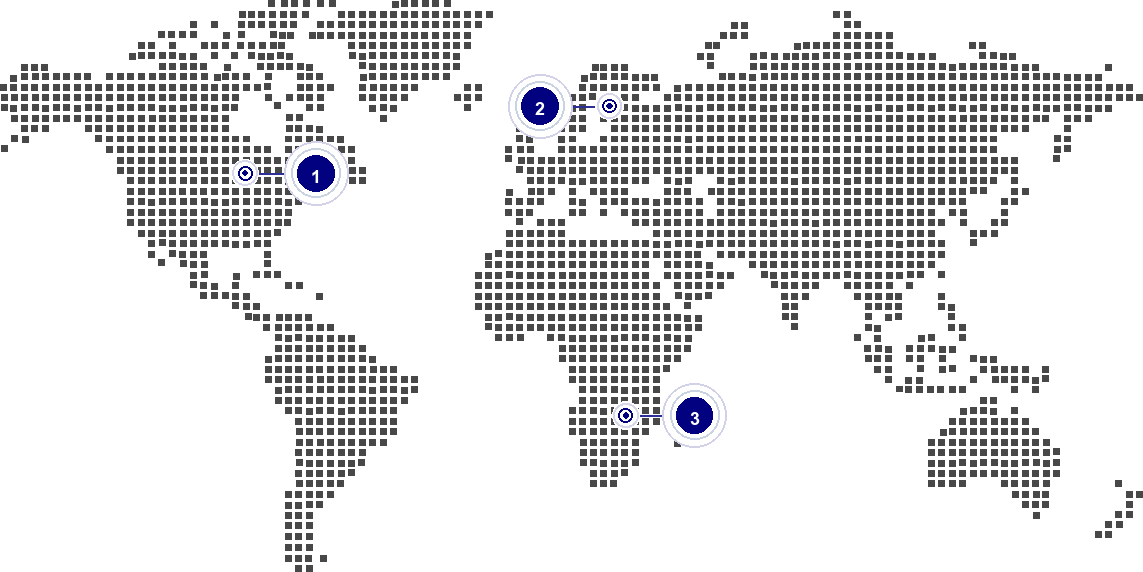
Global network
Our global network of data centres ensures your website is always close to your audience, providing fast load times and a reliable online presence.
The Full WordPress Stack: Pre-Configured or Custom
With a Virtarix VPS, your WordPress site stays fast, secure, and always online - no matter how big your audience gets.
The Full WordPress Stack: Pre-Configured or Custom. (Control Panels, Caching, ...) cPanel options, SSL, caching layers, PHP, database services, backups, staging, DNS, and security controls can be configured for your WordPress VPS.
Launch Your WordPress VPS in Minutes
From checkout to a live WordPress site in under 15 minutes.
1
Choose Your Plan
Select the Virtarix WordPress VPS that matches your site's size. Plans start at $5.50/month with instant provisioning.
2
Deploy & Install WordPress
Your server is ready in under 5 minutes. Install WordPress via a one-click panel installer (cPanel, HestiaCP, or CyberPanel) or directly from WordPress.org via SSH.
3
Go Live
Point your domain, enable free SSL via Let's Encrypt, and publish. Your WordPress site is live on NVMe-powered infrastructure with DDoS protection active by default.
WordPress VPS - Market Price Comparison
See how Virtarix WordPress VPS pricing compares to the market. Same specs, lower price.
WordPress VPS hosting runs WordPress on a virtual private server instead of a shared-hosting account. You get root or SSH-level control, dedicated server resources, and the freedom to choose your stack, caching, PHP versions, security tools, and backup approach.
How many WordPress sites can I host on one Virtarix VPS?
You can host multiple WordPress sites on one Virtarix VPS if the plan has enough CPU, RAM, and storage for the combined traffic, plugins, and database load. Small brochure sites need fewer resources than WooCommerce, membership, or high-traffic publishing sites.
Is this managed or unmanaged WordPress hosting?
Virtarix WordPress VPS is self-managed VPS infrastructure. Virtarix provides the server platform, while you manage WordPress installation, updates, caching, security hardening, plugin choices, and application-level troubleshooting.
Which control panel should I use for WordPress?
You can run WordPress from the command line or install a control panel such as CyberPanel, CloudPanel, aaPanel, or another stack you prefer. The best choice depends on whether you prioritize simplicity, performance, multi-site management, or manual server control.
Does Virtarix include backups with WordPress VPS plans?
Plan tables show the included snapshot and backup allocation for each VPS tier. For production WordPress sites, keep an additional WordPress-aware backup routine for files, database exports, off-server storage, and restore testing.
How much does WordPress VPS hosting cost?
Virtarix WordPress VPS pricing depends on the selected VPS plan, billing term, currency, taxes, and checkout eligibility. Use the plan table to match CPU, RAM, and storage to your WordPress traffic and plugin workload.
Can I run WooCommerce on a Virtarix WordPress VPS?
Yes. WooCommerce can run on a Virtarix WordPress VPS when the plan is sized for product count, checkout traffic, plugins, background jobs, and database activity. Stores usually benefit from more RAM, caching, and a tested backup plan.
Can I install WordPress Multisite?
Yes. You can install WordPress Multisite on a self-managed VPS if you configure the web server, DNS, SSL, database, and WordPress network settings correctly. Choose enough CPU, RAM, and storage for all sites in the network.
Do you help with migrating my existing WordPress site?
Virtarix provides the VPS infrastructure for hosting your WordPress site. Migration work remains the customer’s responsibility unless a separate migration service is explicitly arranged; always test backups and DNS changes before switching production traffic.
Where are your data centers, and which one is best for WordPress?
Virtarix lists active VPS locations in Dallas, Frankfurt, and Johannesburg. For WordPress, choose the available location closest to your main visitors, payment systems, or business region to reduce latency.
First of all, I had a few questions before subscribing. Within a few minutes I received feedback. I subscribed because of quality support and then was further surprised by the VPS speed. I highly recommend Virtarix. No more worries! Everything just works great!!
Erforderliche Speicherung wird für Währung, Einwilligung und anonyme First-Party-Analytics-Sitzungskontinuität verwendet. Optionale Tools laden nur nach Zustimmung. Widerruf jederzeit über den Footer-Link „Cookie-Einstellungen“.
Noch keine Auswahl gespeichert.
Alle akzeptieren, Alle ablehnen oder benutzerdefiniert speichern.
 Deutsch