 Deutsch
Medium Storage VPS for growing files, backup jobs and light app storage
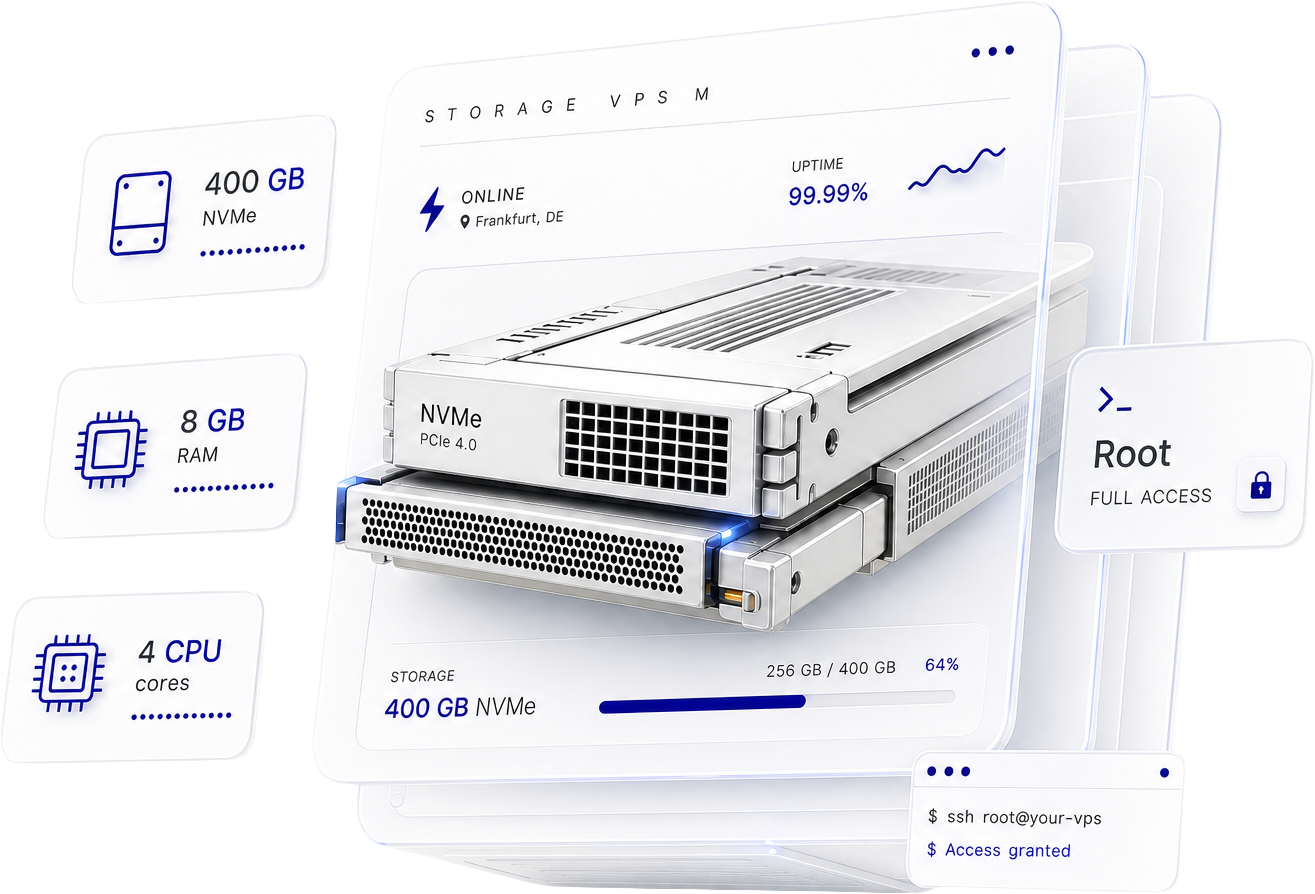
Choose Medium Storage VPS when 200 GB no longer leaves enough room for backups, logs, staging data and app files. It gives you 400 GB NVMe storage with more CPU and RAM for supporting services and scheduled file workflows.
When entry-level storage starts slowing decisions down
The smallest storage plan is often enough until backups, media, logs, project files, and staging all begin living on the same server. At that point, storage becomes the real bottleneck before you are ready for a much larger production machine.
200 GB disappears fast
Backups, assets, logs, and staging copies fill space faster than most teams expect.
General VPS plans can be the wrong trade-off
More compute does not help much if storage is the thing running tight.
Bigger dedicated-resource servers can be too much too soon
If storage growth is the real issue, you do not need to overspend to solve it.
What Medium Storage VPS helps you do next
Use the extra room and headroom to keep more of your files and supporting services in one controllable place, without paying for a larger class of server before you need it.
Move in, manage it your way, scale later if needed
The setup path should feel simple: deploy the server, connect, move your data, and scale when storage growth demands it.
Best for growing storage workflows with root access
Use this plan when the workload has moved beyond entry-level storage but does not yet need the 800 GB Large Storage VPS tier.
Developers and app owners
Keep logs, build artefacts, assets, package caches and light runtime data close to the application workflow.
Agencies
Hold client media, staging copies, exports, revision archives and project data in a server you control.
Growing businesses
Store backups, exports, documents and working assets without jumping to a larger storage tier too early.
File-heavy websites
Keep media libraries, upload directories, generated files and transfer workflows under root-level control.
Staging and testing workflows
Hold staging data, package mirrors, project exports and test assets with more room than the entry tier.
Backup and sync jobs
Run SFTP, rsync, rclone, backup tooling and scheduled sync jobs beside the storage layer.
Choose Medium Storage VPS when storage is the bottleneck, not dedicated CPU isolation
This section helps you choose the right Virtarix plan, not just the page you happened to land on.
Storage VPS S
For backups, media and small archives
From
$
8.00
USD
per month
What's included:
- 2 CPU cores
- 4 GB RAM
- 200 GB NVMe disk space
- Unlimited bandwidth*
- Full root access
- 1 free snapshot
- IPv4 + IPv6
Best fit
Storage VPS M
For growing files and app storage
From
$
16.00
USD
per month
What's included:
- 4 CPU cores
- 8 GB RAM
- 400 GB NVMe disk space
- Unlimited bandwidth*
- Full root access
- 1 free snapshot
- IPv4 + IPv6
Storage VPS L
For large archives and team data
From
$
30.40
USD
per month
What's included:
- 6 CPU cores
- 16 GB RAM
- 800 GB NVMe disk space
- Unlimited bandwidth*
- Full root access
- 1 free snapshot
- IPv4 + IPv6
Check if this Storage VPS plan is right for you
Before choosing this tier, review the key details around bandwidth, backups, recovery, data transfer, upgrade options, and whether 400 GB of storage is enough for your current workload.
Need clarity on bandwidth?
Unlimited bandwidth* means no fixed monthly transfer cap or per-GB overage on the listed plan. It remains subject to fair use, acceptable-use rules, network integrity and service limits.
Need rollback or recovery support?
1 free snapshot included, but critical data should still follow your own backup schedule, retention rules and recovery testing.
Need to keep your current transfer workflow?
Full root access supports familiar server transfer methods such as SSH, SFTP, rsync, rclone, backup tools and custom scripts.
Planning for later growth?
Move up the Storage VPS range when capacity genuinely requires it, or move to another server type when isolation or architecture requirements change.
Can it run apps as well as storage?
Yes, for lightweight workloads. This tier is shaped for growing files and app storage, not heavy dedicated-CPU production jobs.
Customer Reviews
Danie de Klerk
Dec 4, 2025

Fast and Quality support and VPS
First of all, I had a few questions before subscribing. Within a few minutes I received feedback. I subscribed because of quality support and then was further surprised by the VPS speed. I highly recommend Virtarix. No more worries! Everything just works great!!
Jacques Marais
Mar 23, 2026
Cheap, easy, quick.
Virtarix is exceptionally cheap, easy-to-use, and quick to get started with. Would highly recommend!
Claude
Jun 2, 2025
My kind of VPS provider
Quick setup of VPS. Respect of privacy. Good communication for invoicing. Affordable pricing.
Medium Storage VPS FAQ
Short answers for the questions buyers most often ask before they choose a storage-focused VPS plan.
What is Medium Storage VPS best for?
Growing files, backups, media assets, logs, project data, staging, and lightweight app storage that need more room than the smallest storage tier.
Can it handle lightweight apps as well as storage?
Yes. It is positioned for growing files and app storage and includes more CPU and RAM than the entry storage plan.
How quickly will it be online?
Provisioning typically completes in under 5 minutes.
Can I upgrade later?
Yes. Virtarix states you can move to larger storage plans without downtime or data migration.
What does unlimited bandwidth* mean?
The listed plan wording means no fixed monthly transfer cap or metered overage charge, subject to fair-use and service limits.
Do I still need my own backup routine?
Yes. The included snapshot helps recovery, but you remain responsible for your own backups.
What operating systems can I run?
AlmaLinux, Arch Linux, Debian, Ubuntu, and Windows Server are listed as deployable options, with custom ISO support on request.
When should I choose Cloud VDS instead?
Choose Cloud VDS when dedicated CPU isolation is the real requirement.
Ready to choose?
Choose the storage-first VPS that fits today
Start with Medium Storage VPS when 400 GB NVMe, 4 CPU cores, and 8 GB RAM are the right fit for growing files, backups, logs, staging data, and light app storage.